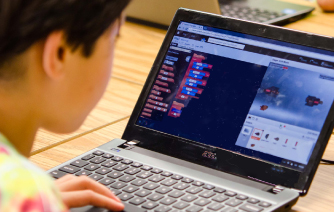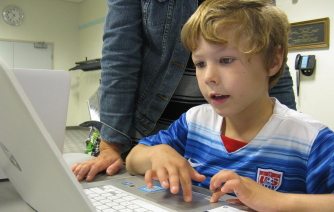



I saw a blog post about not using computers in a preschool. Why SHOULD we use computers?
Posted by Cyndee Perkins
Answer: Obviously I am biased, but I think computer use by young children is great… when done appropriately!
Whether the children are in a preschool or at home, we need to establish some good guidelines for preschooler use of computers. Let’s look at five simple “rules” based on common sense:
1. Computer time should be limited. Conflicting research abounds about the “dangers” of using a computer. I think the simplest rule is that the preschooler should use the computer for about 30 minutes, and then move to some other activity that is less sedentary. Using a kitchen-timer to let the children know the time is up, releases you from the unpopular role as enforcer!
2. The computer should be used as a shared learning tool, not as a baby-sitter. A friend, a parent or a teacher should interact with the child as he/she is playing games to share the fun and enhance the learning. Talking and giggling should be encouraged!
3. The software or Website choices should be evaluated carefully. Marketing people, not educators, write the blurbs on the software boxes. Be sure that the activities are age/developmentally appropriate for the children in your class (or in your kitchen!) If a child isn’t ready for the activity, he/she will want to move on. Let him go!
4. The computer can support what you are already teaching in class. If the children are learning their capital letters, choose a computer activity that reinforces capital letters. If they are doing puzzles at the math center, choose a computer puzzle activity. The same skills are used when putting a virtual puzzle together as a 3-dimensional one. The children still look for straight edges, color combinations and try to see the “whole picture” when working with the “parts.”
5. Create a comfortable computer center – chairs should allow the children’s feet to reach the floor, the keyboard and mouse should be handy at the bent elbow position, and the monitor should be at the child’s eye-level. A preschooler isn’t comfortable having to crane his neck to see the action on a screen that is tilted for an adult, just as you probably aren’t too comfortable crouching on those little red plastic chairs that are 18 inches off the ground!
My overall belief is Moderation in Everything … too much computer use probably isn’t good for a preschooler. Neither is eating too much candy or staying up too late. (Of course as an adult, YOU can stay up all night eating Peanut M&M’s while watching YouTube videos … or writing blogs about what preschoolers should and should not do!)
Cyndee Perkins
Director, Curriculum and Program Development

Well, perhaps I am exaggerating a little about the plane tickets, but we used video
Anne Kleinsasser, my high school English Literature teacher, bellowed Hrothgar and Hrunting in a voice that convinced us she was a direct descendent of Grendel!
Rebecca Parrent is listening for squeals.
Several
I do have some software suggestions. Keep in mind that Zoe will learn the most if a parent shares the computer activity, just as when you read together.
Today’s education isn’t rocket science … but it should be!
We were at NASA on Saturday with some visitors from the UK.
Using Wikis for interactive learning is one of the most positive ways we can use technology today.

Our COMPUTER EXPLORERS teachers love kids and love having fun!


A professional grant writer told me that any grant proposal can be in the top 10 percent of the applicants … because 90 percent of the proposals are thrown out before they are even read!
Choosing software is both fun and frustrating!
Children today are more advanced in many ways than those included in past studies.
Christine Weiser wrote the article for
COMPUTER EXPLORERS (CE) has ten business owners in New Jersey who offer classes and camps for ages 3-12+.
Our teachers have some general "rules of thumb" they follow:
Internet Safety is becoming more and more of an issue with the proliferation of social media.
Technology professional development is offered less grudgingly now than fifteen years ago for two reasons --first, technology PD dollars are more available than other funds, and second, schools don't want to be perceived as behind other schools and.orschool districts in using technology.
Is anything more unnerving than watching Jay Leno's "Man on the Street" interviews? They're funny, yes, but frightening too! "Canada is an island in the Pacific." "The 'euro' is a Japanese car." "Global warming only happens in the summer."
We work with a lot of Kindergarten students in labs and media centers around the country and I understand what you mean about the frustrations of logging on and developing basic computer skills in a one-visit-per-week environment!
Among other 70+ cool classes, we are especially excited about a new course in stop-action photography that uses a green screen; one of our business owners in California is running the pilot classes now, and we expect to be able to post some movies on our COMPUTER EXPLORERS YouTube channel in the next few weeks.
ItzaBitza has restored our faith in children's educational software! We have been frustrated over the past few years by the lack of quality software for young children, but ItzaBitza's software is right on target!
Thank you for your email about technology curriculum and integration into core subject areas. Our company has a full scope and sequence, curriculum and lesson plans that meet and exceed the National Educational Technology Standards. We will even provide a technology resource instructor, who is approved by you, and specifically trained to integrate technology!